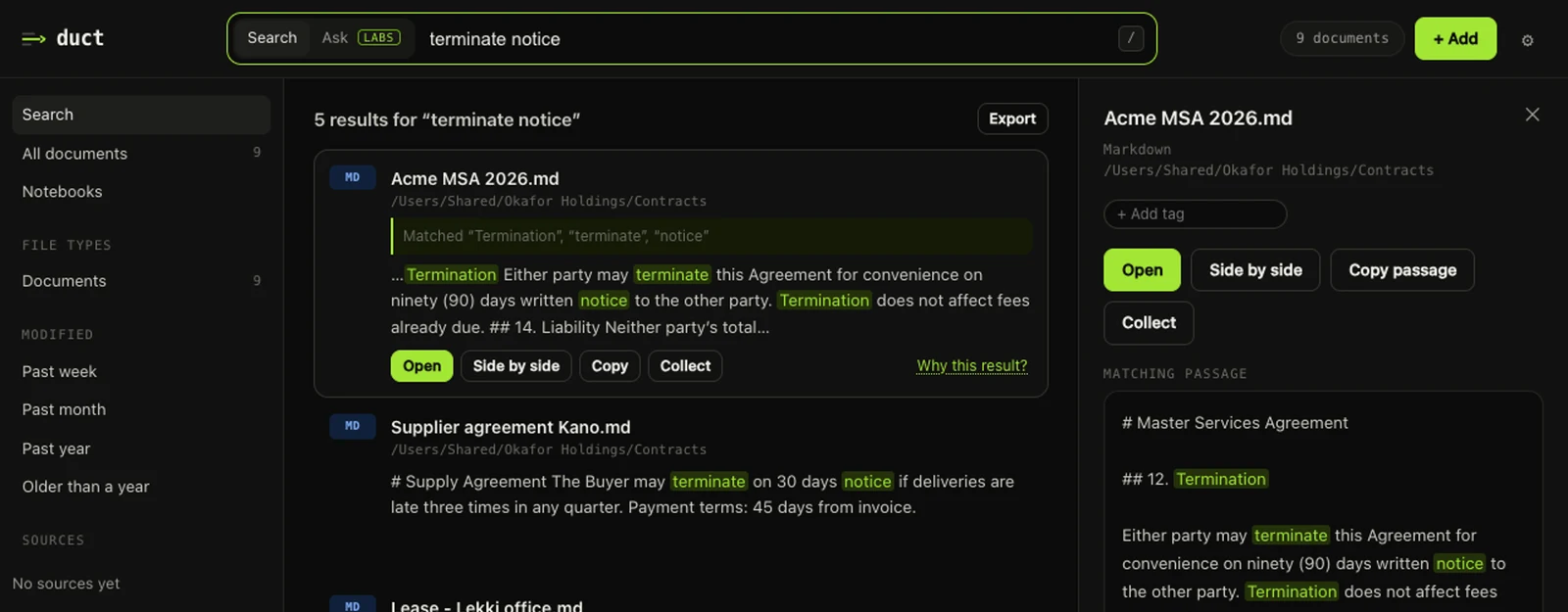
Duct finds anything in your documents, on your own computer. It reads PDFs, Word files, spreadsheets, slides, scans, email, WhatsApp chats and dozens of other formats, and it shows you exactly where each result came from: the file, the page, and the words that matched.
We're a small team at Tensflare. The Duct app is open source under the Apache 2.0 licence, and this blog is where we'll explain how it works, as we build it.
Why write it down
Duct asks for a lot of trust. It reads contracts, payslips, medical letters and board papers. We think the honest answer to "can I trust this?" is to show our work:
- The code is public. You can read every line of the app on GitHub.
- The app keeps a ledger. Settings › Privacy lists every connection Duct makes to another computer, so you don't have to take our word for it. We wrote about how the ledger works.
- This blog explains the decisions. Why something is built the way it is, what we measured, and what we got wrong.
What Duct does today
Three things we're proud of, and that we'll write about in more depth:
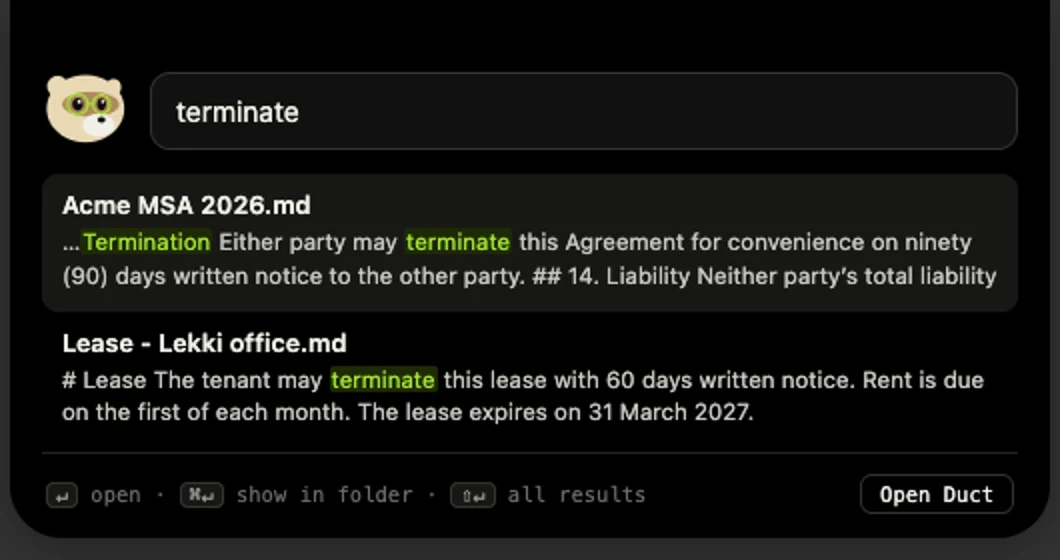
It finds things where they are. Search works on the words inside files, not just their names, including scans read on your own machine. "Terminate" finds "termination", 1,200 finds 1200, and a search that finds nothing tells you why instead of leaving you at a blank page.
It's there when you need it. One shortcut opens a search bar over whatever app you're in, with your recent searches ready. We made searching big libraries about four times faster so that it feels instant.
It works for teams without oversharing. On a team server, results follow each file's sharing at the source, so people only find what they could already open. That's harder than it sounds, and we wrote up how we did it.
What we'll write about
- Search: ranking, stemming, the "Did you mean" that only suggests words from your own documents, and speed.
- Privacy engineering: what stays on your computer, what doesn't, and how you can check.
- Teams: permissions, sign-in, and failing closed when we're not sure.
- Hard files: scans, password-protected PDFs, Apple's iWork formats, chat exports.
- The product: why the mascot exists, how we choose words, and what we cut.
How to follow along
There's an RSS feed, and you can browse by category: engineering, privacy and teams. Releases and changelogs are on GitHub. If something we write is wrong, or you'd have built it differently, tell us at duct@tensflare.com. We'd rather hear it.