A shared search engine has one job before any other: never show someone a document they shouldn't see. A search box over a company's Google Drive that ignores sharing is a leak with a nice interface.
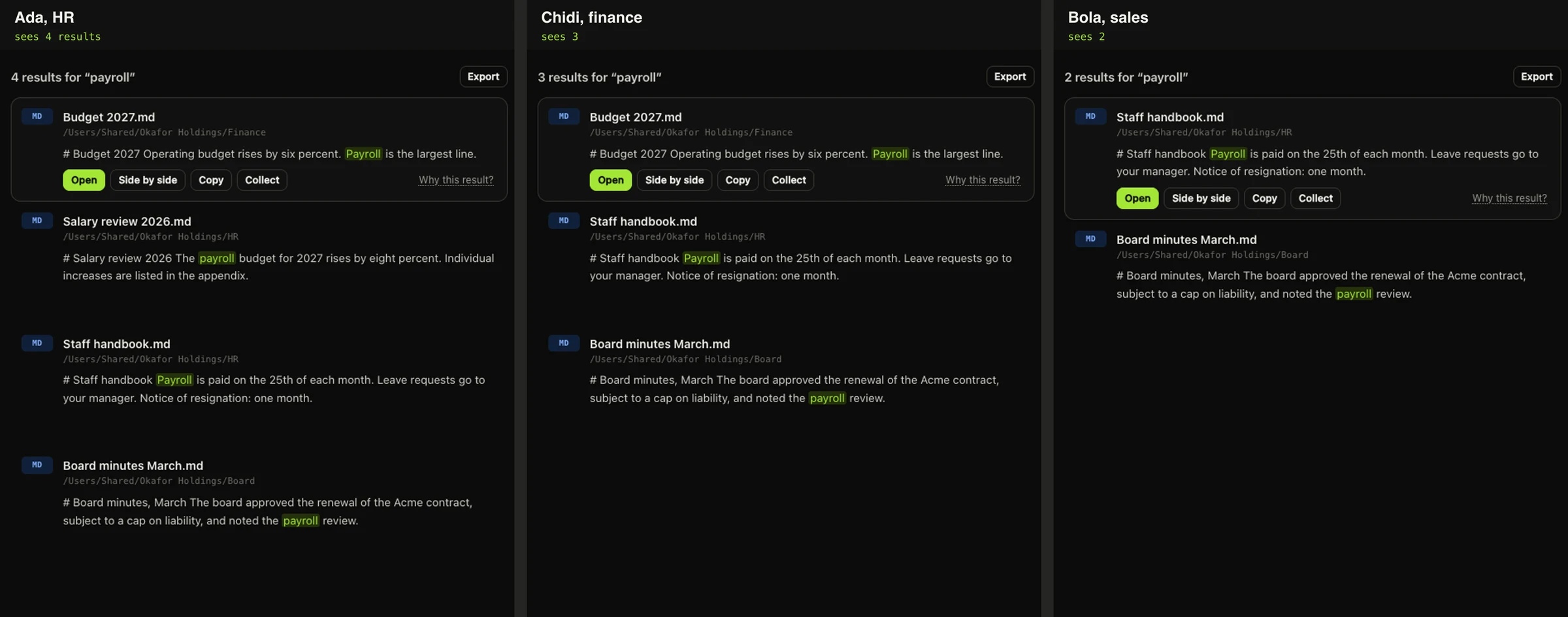
When Duct runs as a team server with sign-in, results from Google Drive and Microsoft 365 follow each file's sharing at the source. If you couldn't open it in Drive, you won't find it in Duct.
Principals
Each document can carry an access list of principals:
user:ada@okafor.ng, one persondomain:okafor.ng, everyone signed in with that company's emailanyone, everyone who can use the server
When you sign in as ada@okafor.ng, you match user:ada@okafor.ng, domain:okafor.ng and anyone. A document is visible to you if its list contains one of those. Documents without a list, such as folders the admin chose to share with everyone, are visible to everyone on the server.
Links don't count
Google Drive lets you share a file with "anyone with the link". That's how most files get overshared: a link pasted into one email is technically readable by anyone. If Duct treated that as "anyone", every such file would become searchable by the whole company.
So it doesn't. Drive tells us whether a domain or public share is discoverable (allowFileDiscovery). Only discoverable shares count. Link-only sharing is ignored.
Failing closed
Every time Duct isn't sure, it hides rather than shows:
- If a file's sharing can't be read, the file is visible only to the person who connected the source.
- If Microsoft or Google returns an error for a file's permissions, the same.
- Files shared only through a group (a Google group, or a Microsoft 365 group) are hidden from that group's members for now, because Duct doesn't read group membership yet. Hiding them is wrong in a way people notice and tell us about; showing them would be wrong in a way nobody notices.
Everywhere, not just search
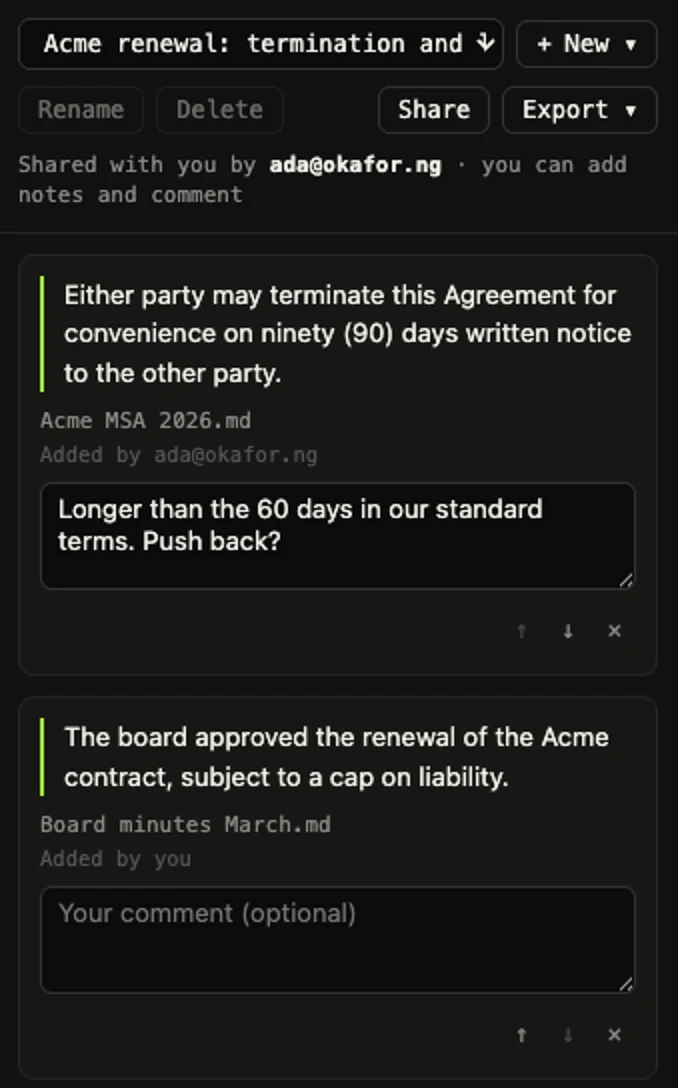
The access check sits in one place, the query filter every search goes through, and the same rule is applied to everything that touches a document: opening it, the documents list, exports, "Ask", the deadlines radar, the suggestions on the home screen, and notebooks. A notebook shared with you never shows quotes from documents you can't open, even if the person who shared it can.
Anything that addresses a document by its path is checked before it reaches the handler, so a new feature can't forget. And the tests sign in as different people and check what each one can find.
Notebooks, too
Notebooks are where people collect quotes from documents and share them with colleagues. Sharing a notebook can't be a back door: Ada's notebook includes a quote from the salary review, and when she shares it with Chidi, he sees every note except that one.
The parts that are still yours to decide
Admins can set each source to follow its sharing, to be visible to everyone, or to be visible to chosen people and domains. Following sharing is the default whenever sign-in is on. The full details are in the deployment guide.